

Universal Technical Institute (UTI)
High School Gymnasiums Have Terrible WiFi
That’s the whole problem, right there.
This sounds trivial until you’re a recruiter standing in front of 200 students, trying to show them their future career - and your presentation won’t load. Your company has spent thousands getting you to this school. Coordinating with administrators. Booking the assembly. And now you’re standing there while 200 teenagers watch a loading spinner.
I’ve been embarrassed in front of crowds before. It’s not fun. Now imagine that’s your job, every week, in a different school.
UTI (Universal Technical Institute) had a hundred field representatives across the country. They traveled to high schools every week, recruiting students for technical training programs. Every presentation mattered. Every failure cost money and - honestly, more importantly - credibility.
Nobody Knew How to Do This Yet
So here’s the thing: in 2016, the web was designed around connectivity. “Offline web apps” was basically an oxymoron. The technology to make it work - what we now call Progressive Web Apps - didn’t even exist as a standard yet.
UTI’s representatives needed presentations that worked without internet. Not “mostly worked.” Not “worked if you found a hotspot.” Worked, period, in a gymnasium in rural Nebraska with zero bars of signal.
I sat with this problem for a while. Everyone kept saying it couldn’t be done. But the recruiters didn’t care about what was technically possible - they just needed to stop being embarrassed in front of kids.
So I built PrezHub two years before PWA became a thing.
December 7, 2015
Four people joined a conference call. A meeting invite with a dial-in number and a simple title: “MOE Presentation Project.”
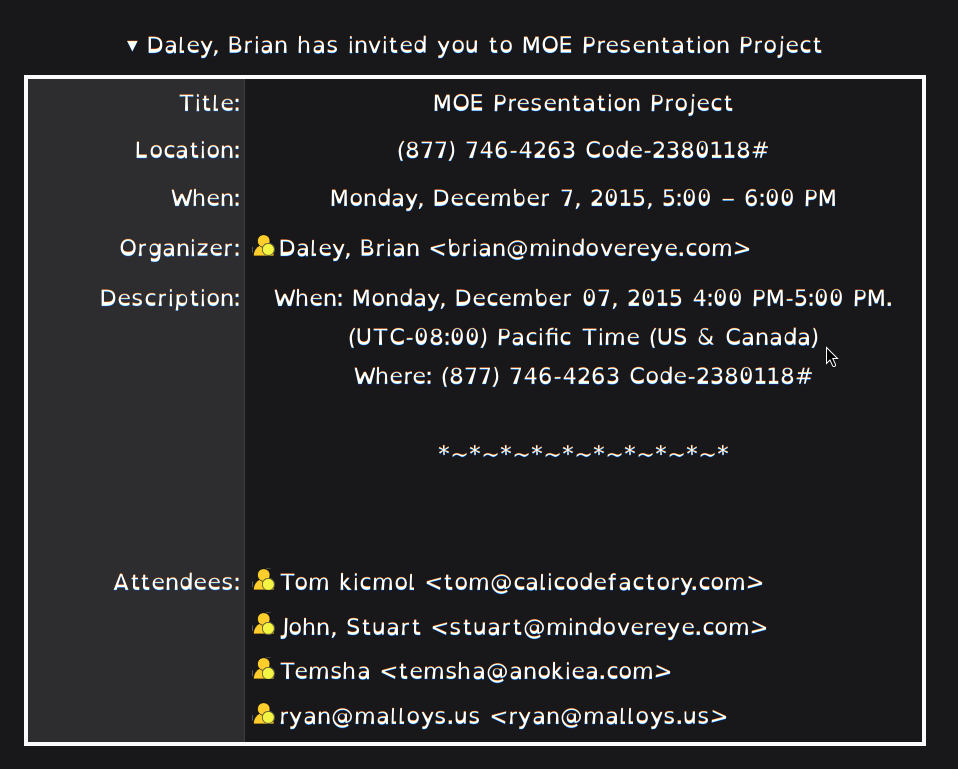
Brian organized it. Temsha was there. We talked about the problem: field representatives standing in gymnasiums with presentations that wouldn’t load. We talked about what everyone said was impossible. And then we decided to do it anyway.
Nine years later, I still have the calendar invite. These weren’t theoretical stakeholders or abstract requirements. These were real people who believed a wild idea was worth trying.
Sometimes the most important artifact isn’t the code. It’s the meeting invite that shows when someone decided to trust you.
Statement of Work · December 2015
What Was Promised
The original contract from December 17, 2015 (revised December 21) — four days after the kickoff meeting. Here's what they asked for. What they got was four years of production infrastructure.
Project Description
"Development of an open source presentation authoring, publishing and presentation platform free of license fees."
Server-Side
Client-Side
Key Requirements
5 Milestones
POC - SCCM Deployment
Test packaging via Web2Executable, NW.js, Chromium (1 week)
POC - Browser Content Syncing
Test web server to browser distribution (1 week)
Development Server & Authoring Platform
Build admin UX with version control, slide locking, differential updates
Client-Side Platform
Customization with offline capability + Google Analytics
Deployment Collaboration
Staging → Testing → Production with UTI IT and Marketing
Post-Launch Support
Field support for sales reps
Note: The SOW was revised from v1 (Dec 17) to v2 (Dec 21) — adding detailed presenter features (customize, save, hide slides, share) and admin controls (lock/unlock, user permissions). Active refinement during kickoff week.
PWA or SCCM?
Ten days later, the technical battleground formed.

Mind Over Eye — the agency coordinating the project
The contract was explicit: “open source presentation authoring, publishing and presentation platform free of license fees.” No wiggle room there. That wasn’t just a nice-to-have. That’s why we won the project.
But how do you deliver offline presentations with zero licensing costs? That became the technical battleground.
UTI’s IT department knew SCCM - Microsoft System Center Configuration Manager. Enterprise deployment tool. Push an installer package to every rep’s laptop. You could wrap the web application in something like Web2Executable or NW.js with Chromium, package it up, and deploy it through their existing infrastructure. Standard corporate approach. Safe. Proven.
But SCCM meant Windows Server licensing. Client management licensing. Potentially SQL Server licensing for the deployment database. The costs would compound. And we’d be locked into Microsoft’s ecosystem for every update, every deployment, every change.
I kept pushing for pure web. Build it in the browser. Make it work offline using service workers, local storage, and cache manifests. No packaging. No installation. No proprietary deployment infrastructure. Just open-source web technology and a URL that worked without internet.
Here’s what the December 17, 2015 Statement of Work actually said:
Milestone 1a. POC - SCCM Deployment Testing (1 week) Test presentation packaging and deployment through SCCM using Web2Executable, NW.js, and Chromium.
Milestone 1b. POC - Browser Content Syncing (1 week) Test web server to browser distribution/syncing of HTML5 content.
They were planning to test both approaches in parallel proof-of-concepts. Smart. Pragmatic. Hedge the bet.
The real question wasn’t about technology. It was about constraints. SCCM deployment meant packaging complexity, update management, and potential vendor lock-in. The web approach meant trusting browser APIs that barely existed yet and building patterns nobody had proven at scale.
But here’s the thing: the web approach didn’t require Windows licensing for deployment infrastructure. No per-seat costs. No SQL Server licenses for the deployment database. And if we built it right with service workers and local storage, it would work offline just as reliably as a packaged app.
The web wasn’t designed for offline use. But that didn’t mean it couldn’t be done.
I won’t pretend there was some dramatic meeting where I convinced everyone with a brilliant argument. The SOW authorized both POCs. We tested both approaches. The browser-based syncing worked. And once it worked, the choice was obvious: why maintain packaging pipelines and installer complexity when you can just… load a URL?
UTI’s IT department said yes to the web approach. They had Azure and enterprise Windows licensing that would cover the server infrastructure. But the application itself? Pure open-source web technology, deployed to browsers, working without internet.
Looking back, that architectural decision made everything else possible. If we’d gone with SCCM deployment, we would’ve built something that required IT intervention for every update. Instead, we built something that synced automatically and just… worked.
Two days after the kickoff meeting, Temsha wrote: “After our testing and correspondence today, we are reasonably confident that we can implement the original concept.” By December 22nd—just 15 days after that first conference call—we had a working proof of concept running at html5.prezhub.com that we were demonstrating to UTI stakeholders.
Sometimes you just have to build the thing to prove it’s possible.
Building What Nobody Had Built Yet
The system had to solve several problems at once, and they all interconnected in annoying ways.
First: the presentations themselves needed to live on the device. Videos, images, hundreds of slides - all cached locally, all ready to go before the rep ever walked into the school.
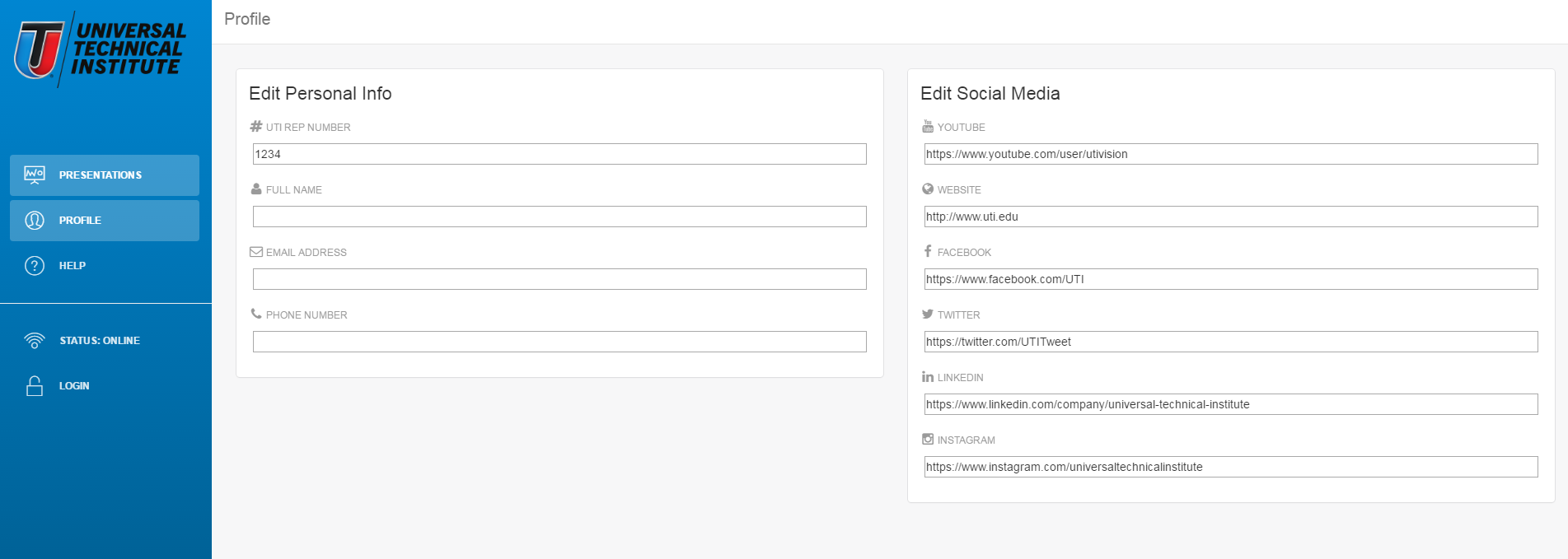
Second: every representative needed personalization. Their contact info, their social media, their regional branding. These customizations had to sync when they had internet and remain available when they didn’t.
Third: analytics. UTI needed to know what was working. Which slides got attention? Where did students tune out? This data had to be collected during presentations and uploaded later when connectivity returned.
Each of these would’ve been a project on its own. Getting them all to work together, offline, reliably? That was the actual challenge.
But here’s what made it interesting: we had to rethink the entire user experience for an offline-first world. Temsha designed something nobody had really tried before:
Think about what that means: personalization during the sync process. While your device is downloading hundreds of slides in the background, you’re filling out your profile. By the time the download completes, your customized presentation is ready. No separate setup step. No “configure then download.” The UX flow itself was designed around the constraint of offline-first architecture.
That’s the difference between “making something work offline” and actually designing for offline. We weren’t just caching web pages. We were building a new pattern.
Videos Were the Worst Part
Honestly, videos almost killed the project.
The media processing pipeline I built handled thousands of slides, automatically optimizing images, converting video formats, and preparing everything for offline playback. When a representative’s phone finally found WiFi at the hotel that night, everything synced seamlessly.
Getting video right took way longer than I expected. But when it finally worked… that was a good day.
50 States. 100 Representatives. Zero Failures.
PrezHub launched across UTI’s entire field organization. Representatives in every state, presenting in schools from urban Los Angeles to rural Montana.
The Result
99.9% presentation success rate. When a recruiter walked into a gymnasium, they knew - with absolute certainty - that their presentation would work.
Two years later, when the industry finally standardized Progressive Web Apps, I’d already been running one in production. Sometimes you just have to build what doesn’t exist yet and figure out the patterns yourself.
What It Actually Looked Like
The system is still running. Nine years later, I restored it from backup. Here’s what those field reps were actually using in gymnasiums across America:
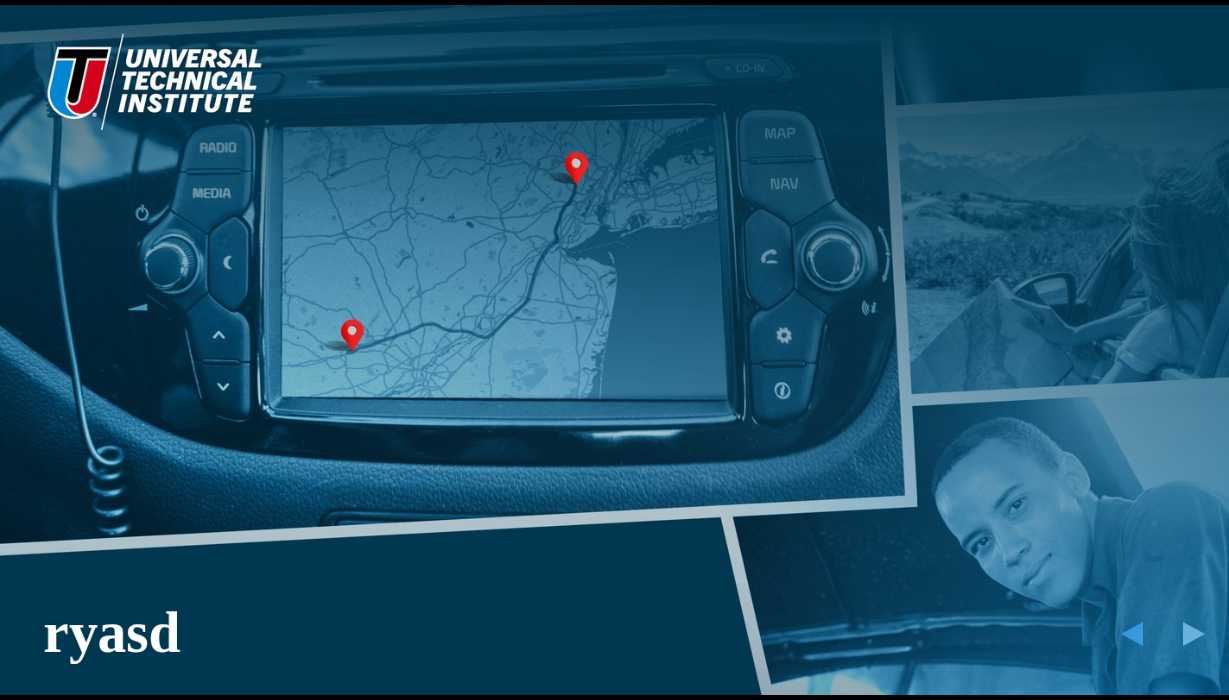
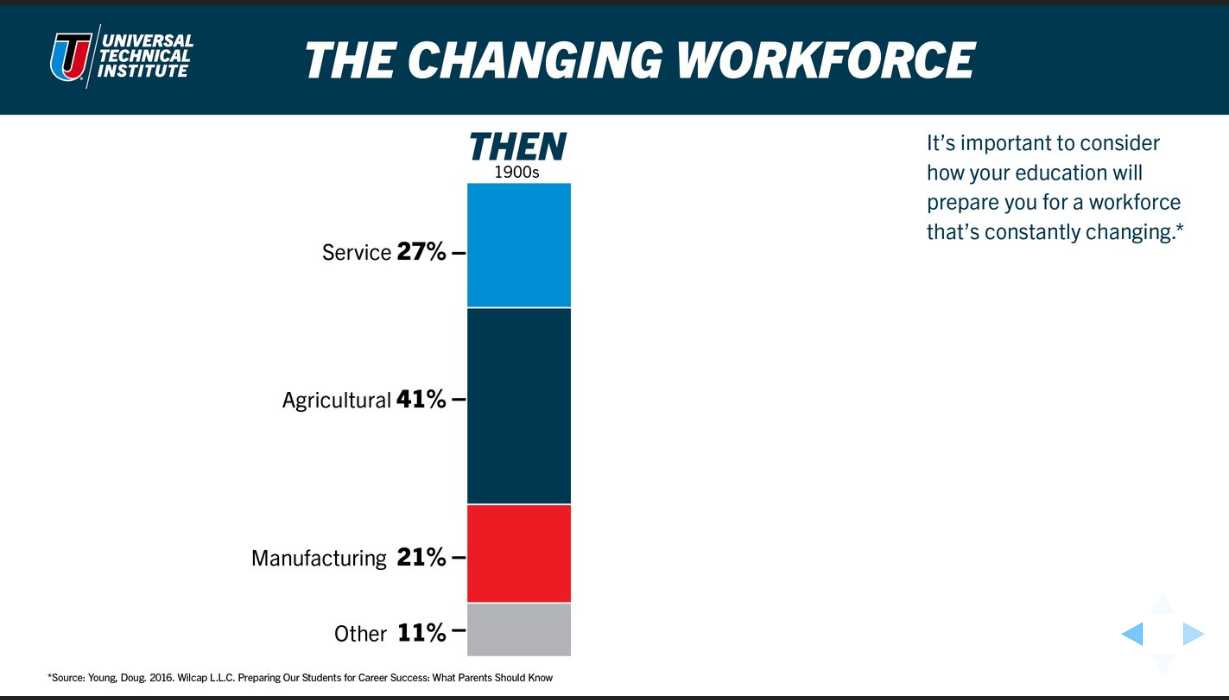
Field reps could customize their deck, add their own contact info, then walk into any school knowing it would work. No WiFi required.
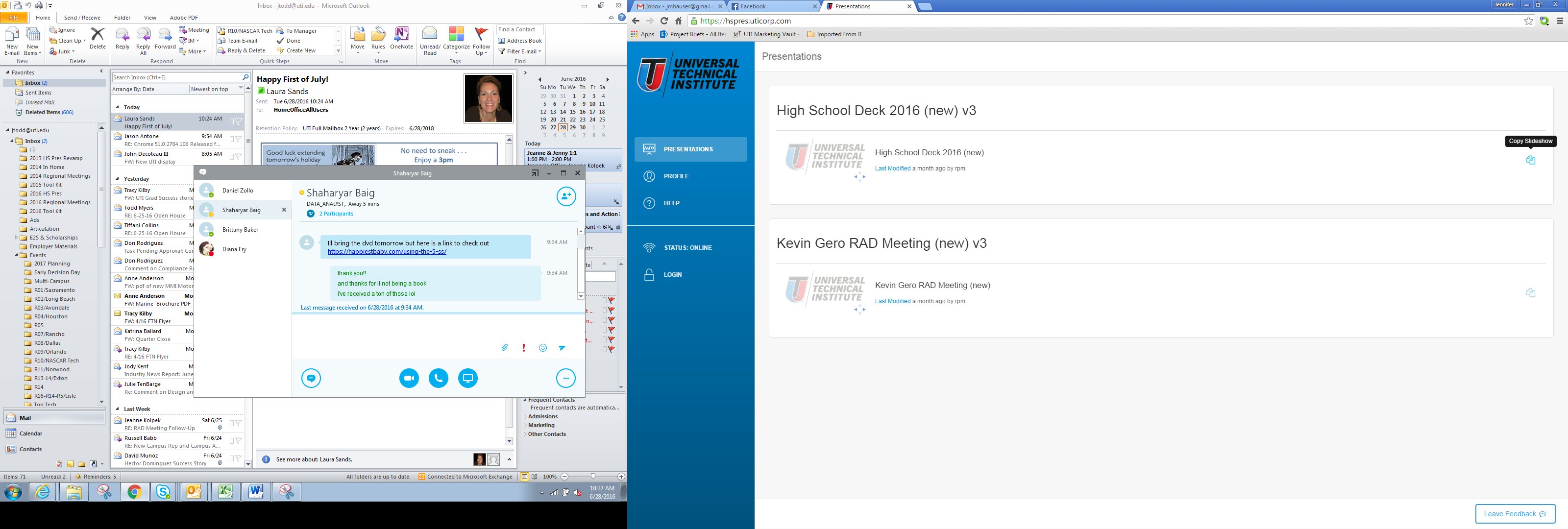
The system gave them keyboard shortcuts (Q to quit, F for fullscreen, S for speaker notes), customizable slides, and automatic population of their contact info on closing slides. Everything synced when they found WiFi at the hotel that night.
Want to see how it actually worked?
Here’s the 2016 High School Presentation User Guide (PDF, 5 pages) - the actual manual field reps used to learn the system.
Or explore the Interactive User Guide → with keyboard shortcuts, customization workflow, and complete interface walkthrough.
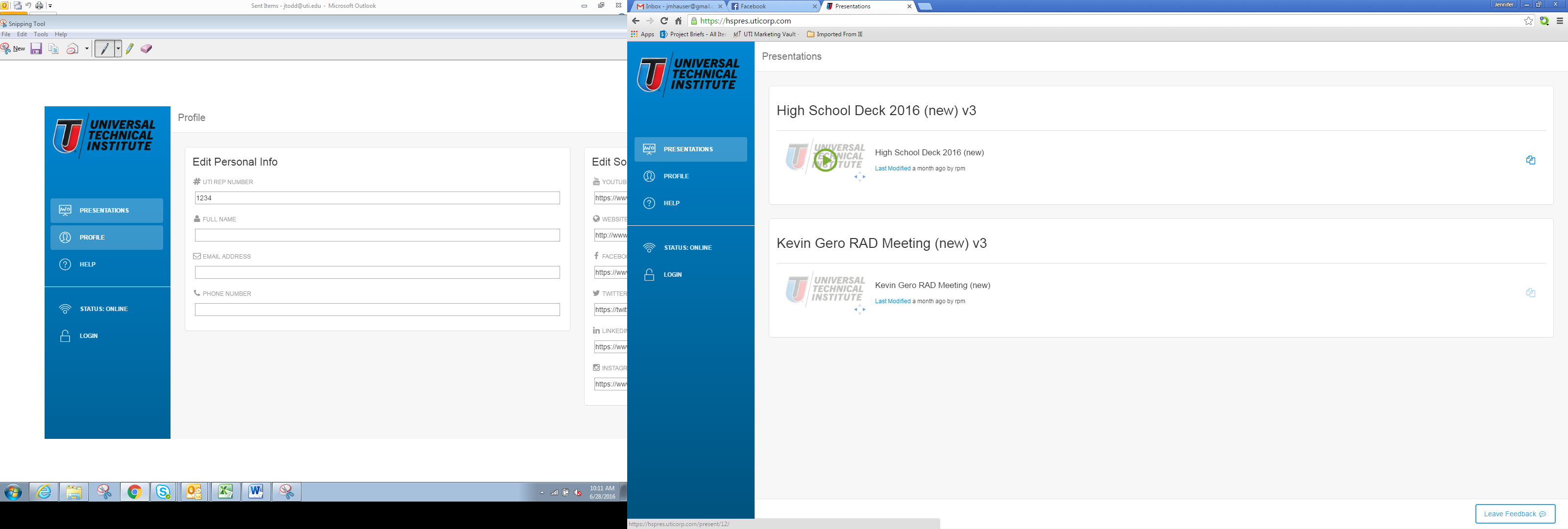
The Interface Reps Actually Used
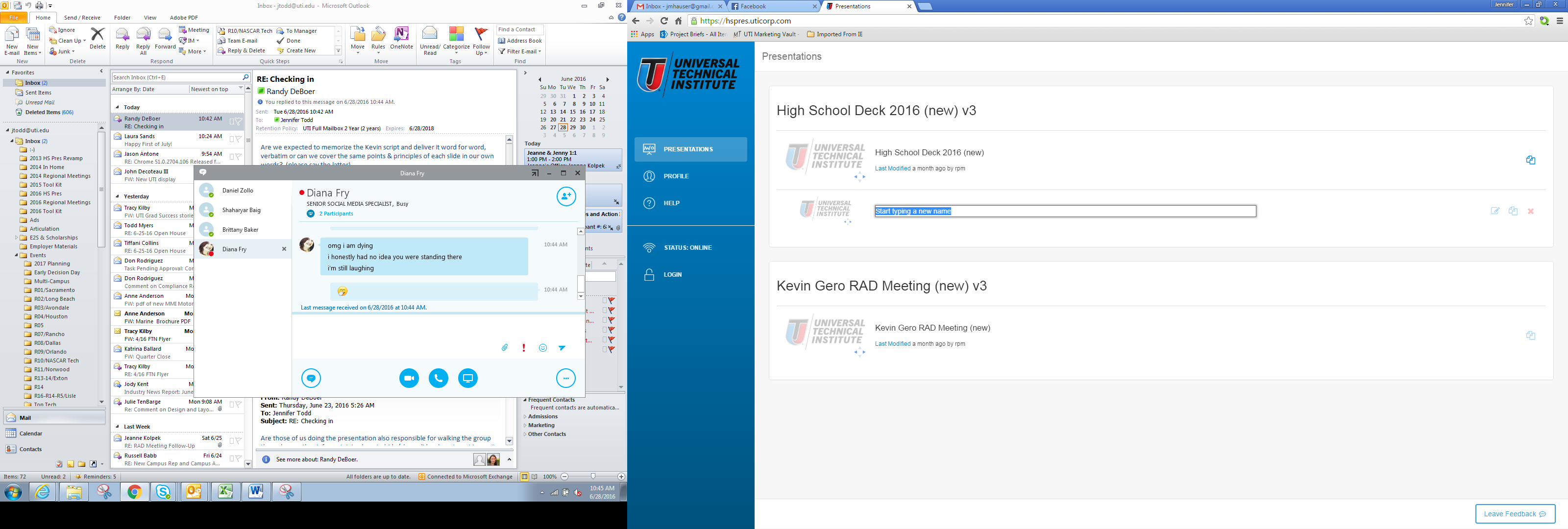
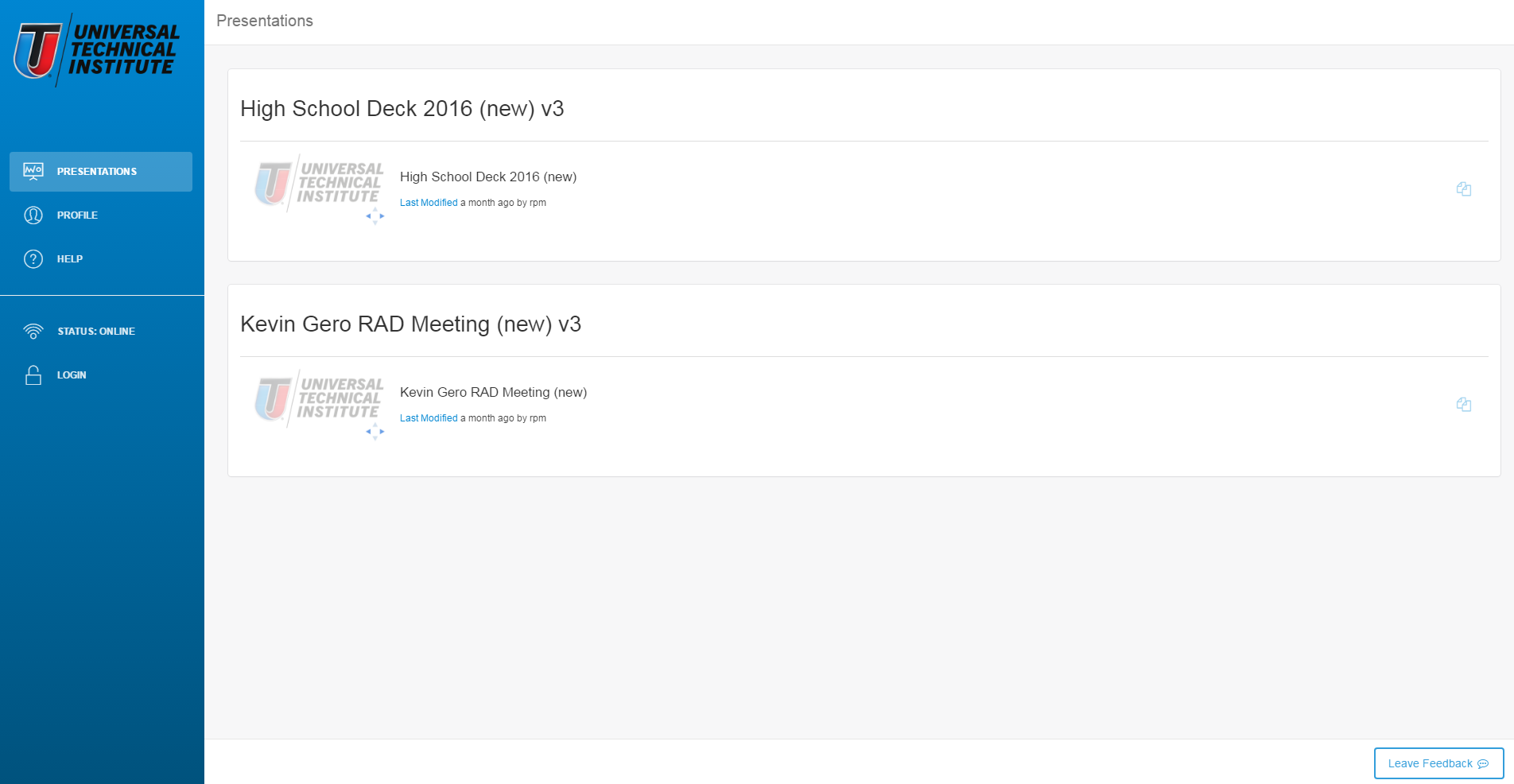
Clean dashboard - reps could find everything without training
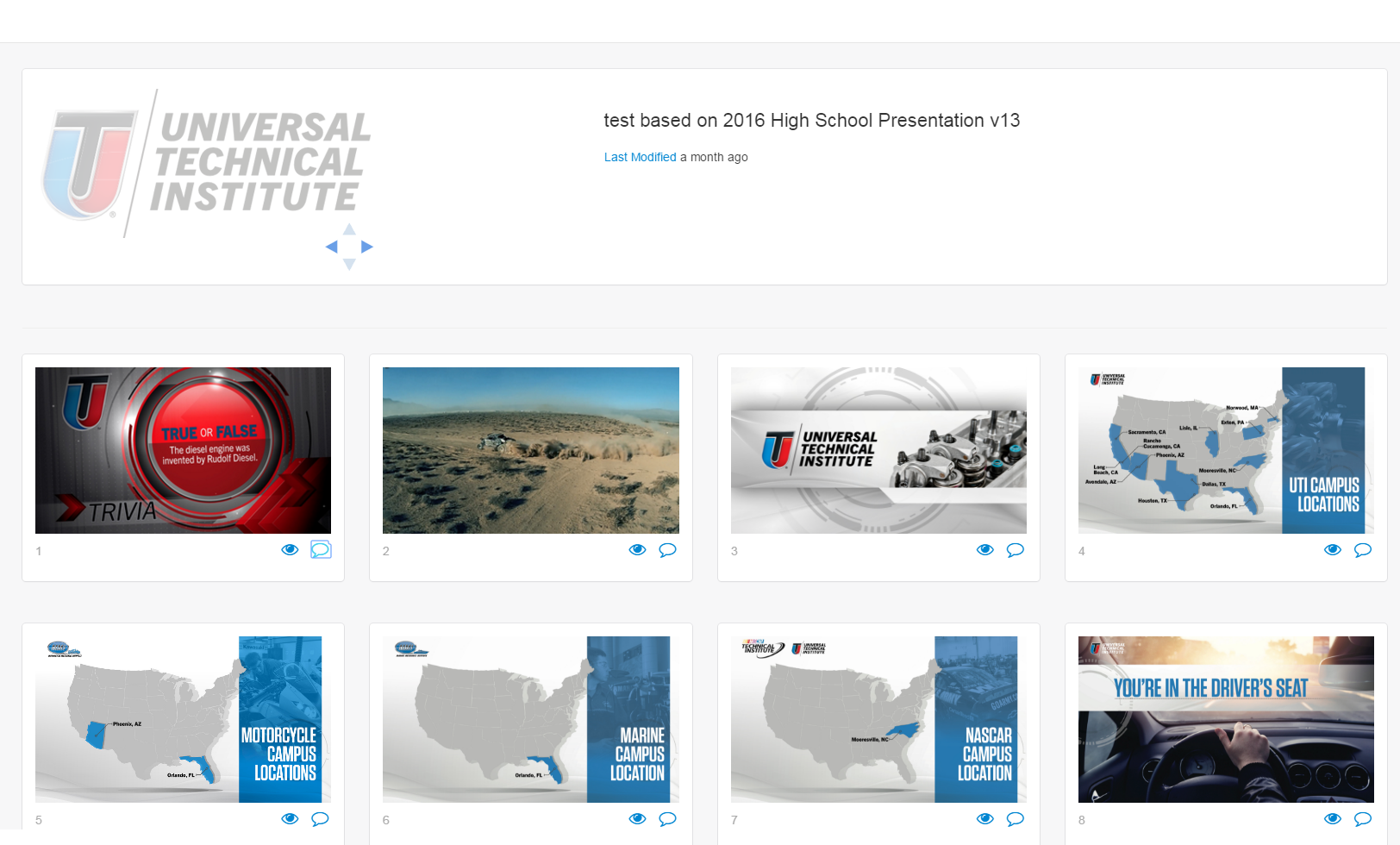
One-click launch to any presentation
Keyboard shortcuts visible during presentation - Q to quit, F for fullscreen, S for speaker notes
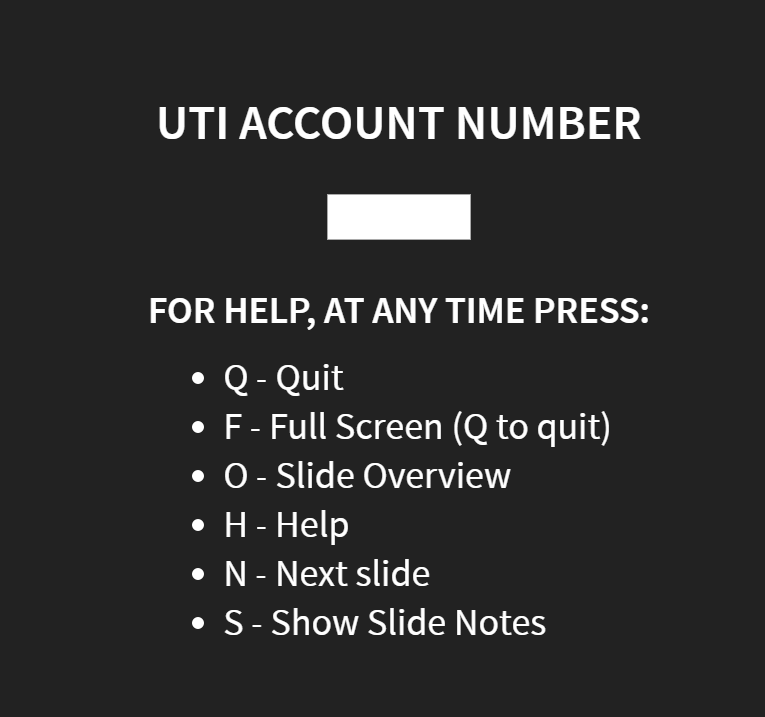
Built for Personalization
Reps entered their info once - it auto-populated on every presentation’s closing slides
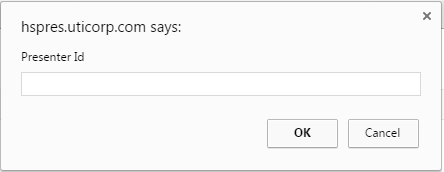
Hide/show slides, add speaker notes - all changes saved locally
Four Years of Production Reality
The demo worked in December 2015. That’s when the screenshots stop and the real story begins.
Six months later, the system was in production. Field reps were using it in real schools, in front of real students. And that’s when I learned the difference between “it works” and “it works in production with a hundred people depending on it.”
June 16, 2016 - Client in Panic Mode
That’s the email that shows what “production” actually means.
Not “the demo needs to work for stakeholders.” Not “the prototype should be impressive.” “This would be humiliating for our reps in front of classrooms.”
When you’re building something that people depend on for their job, in front of an audience, the stakes aren’t technical. They’re human. Jennifer’s email reminded me that every black screen, every failed video load, every sync issue wasn’t just a bug - it was someone standing in front of 200 teenagers feeling like they’d let everyone down.
This is what real production feedback looks like. Spelling errors. Spinner timeouts. Missing thumbnails. Font sizes. The distance between “it works on my laptop” and “it works for a hundred people under pressure” is measured in details like these.
The Browser Wars
Three days later, Brian sent another urgent email:
“Client is in panic mode.” That’s what happens when you’re testing days before launch and presentations start vanishing.
That third issue - “When she cleared her cache via chrome settings, the copied decks disappeared” - that’s the nightmare scenario for offline-first architecture. You build a caching system that survives no internet connection, but then the browser’s own cache clearing logic wipes out user data. The complexity of making things work offline wasn’t just about downloading files. It was about understanding how browsers handle local storage, IndexedDB, cache manifests, and making sure user data survived even when the browser tried to “help” by clearing caches.
Then Chrome updated.
Building on the cutting edge of web technology meant browser updates could break production overnight. Chrome changed how it handled video playback. Suddenly, navigating backward in a presentation triggered a bug. We added video controls as a workaround. Re-encoded videos at lower resolutions to improve performance. Tested on multiple Chrome versions because UTI’s IT department couldn’t push updates to every laptop simultaneously.
UTI’s IT used Microsoft System Center Configuration Manager to deploy Chrome updates across 100+ field laptops. We couldn’t control when updates rolled out — which meant our app had to work on Chrome 49, 50, and 51 simultaneously, each with different video playback bugs.
This is what “progressive web app before PWA was standardized” actually meant. Every browser update was a roll of the dice.
One Year Later: Infrastructure Evolution
By July 2017, the system had proven itself enough that UTI invested in production infrastructure:
That’s the email that shows something important: a year after launch, UTI’s enterprise IT team was actively managing production servers for this system. Mark Tolmachoff, Ryan Malloy, Jason Antone, Aaron Turner, Cliff Villalobos - these weren’t just names on an email thread. These were the people keeping the system running.
We migrated to new production hardware. Updated deployment pipelines. Fixed F5 load balancer headers that were pointing to the wrong hostname. This wasn’t a “build it and forget it” project. It was production infrastructure that required ongoing support.
Three Years Later: Adding Features
July 23, 2019. Nearly four years after that December 2015 kickoff meeting, this email arrived:
Wait. “In regards to the efforts… back in March.”
March 2019. That means we were still actively adding features to this system more than three years after launch. Not maintenance. Not bug fixes. New features. Analytics. Data capture. Integration with UTI’s recruitment tracking systems.
The system wasn’t just surviving in production. It was evolving.
September 10, 2019: Still Supporting Complexity
Nearly four years after launch, UTI’s service desk was still troubleshooting caching issues. Not because the system was broken - because offline-first architecture is genuinely complex. Service workers, cache manifests, IndexedDB, local storage - all of these pieces had to work together perfectly, across Chrome versions, across Windows updates, across network conditions.
Jason had been promoted to Director by this point. The system mattered enough that senior IT leadership stayed involved.
The Timeline That Matters
- December 2015: Proof of concept working
- June 2016: Production crisis, browser bugs, client panic
- July 2017: New production infrastructure, enterprise IT support
- March 2019: Analytics features added
- September 2019: Still supporting caching complexity
Four years of emails. Four years of production support. Four years of a system that started as “this is technically impossible” and became “critical infrastructure for recruiting nationwide.”
I’ve worked on projects that launched with fanfare and died quietly six months later. PrezHub launched under pressure, survived browser updates, earned infrastructure investment, and kept evolving for years.
That’s the difference between building a demo and shipping a system people depend on.
The UX Decisions That Made It Work
You can build technically perfect offline-first architecture, but if the interface fights the user, they’ll hate it. Here’s what made PrezHub actually usable in high-pressure situations:
Design Principle 1: Zero Training Required
Clean visual hierarchy. The most common action (launch presentation) was the largest, most obvious target. Secondary actions (profile, customization) were clearly labeled but de-emphasized. Reps could walk up to any computer and immediately know what to do.
Design Principle 2: Forgiveness Over Prevention
Reps could experiment without fear. Copy presentations freely. Rename them. Hide slides. Delete their copies. The originals stayed safe, synced from the server. Undo was built into the architecture itself.
Design Principle 3: Keyboard-First for Pros
Q to quit. F for fullscreen. S for speaker notes. Once reps learned these shortcuts, they felt like power users. Standing in front of 200 students, you don’t want to hunt for a mouse.
Design Principle 4: Offline-Aware Feedback
When offline, the UI didn’t pretend to be online. Sync status was visible. Cached presentations were marked with clear indicators. No mysterious failures - the system communicated its state honestly.
The Real Lesson
The web wasn’t designed for offline use. Building PrezHub meant inventing patterns that the industry wouldn’t standardize until years later. So yeah, that was technically interesting.
But the real lesson wasn’t technical. It was about understanding what’s actually at stake.
Those field representatives weren’t asking for “an offline-first progressive web application with multi-tier caching.” You know what they actually wanted? To stop feeling embarrassed in front of teenagers. That was the real ask. Everything else was just implementation details.
Technology solves business problems, but those problems are always human at their core. That’s something I think about a lot…
Thank You
This project wouldn’t have happened without Temsha H. and Brian D. — two people who trusted a wild idea about making presentations work without WiFi when nobody else thought it was possible.
Sometimes the best work comes from people who just believe in solving the actual problem, not proving what’s technically feasible. Thank you both.
And to my sons — Cooper, Tate, and Tucker — thanks for helping me test this and putting up with working with me on it. I’m glad you got a chance to see how software was built “in the good old days.” Funny, because I thought PWA was so cutting-edge at the time. Now we have LLMs and so much more. Technology moves fast, but the craft of building something that works? That part stays the same.